Coloring your painting
Coloring is quite easy and I will give you the colors I used but the only warning I must give is
Skin is NOT pink Hair is NOT black Lips are NOT red In other words be very careful how you chose your color. Most of our world comes in muted shades and although PSP will handle the depth of color for you you must choose the right color yourself. |
 |
| Choose a foreground color which resembles skin. Experiment to get the effect you want. You can always reverse steps if you don't like the result |
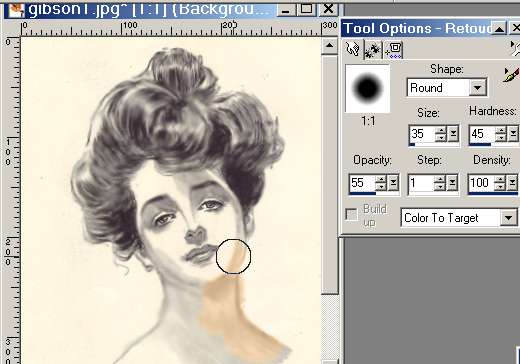 |
Set the 'Retouch ' tool to 'Color to target' and click and drag the brush over all the skin area. It doesn't matter if you go over the eyes and mouth
|
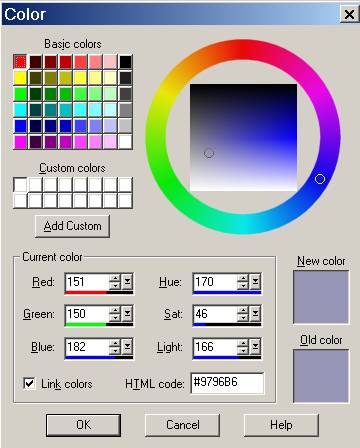 |
Set your foreground color for the eyes
|
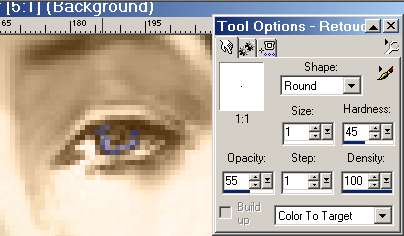 |
Reduce your brush size so that you can carefully spot in a little color on the eyes. You don't have to be quite so careful for the lips. I chose color #C3957B for the lips |

|
Choose a hair color. I have gone very conservative but you can have lots of fun with this.
|
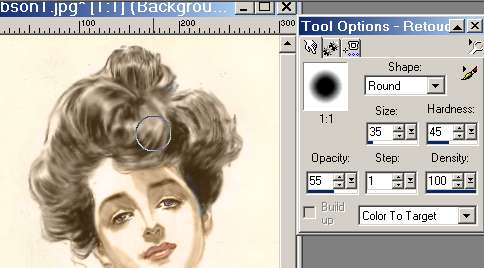 |
Color the hair by dragging a fairly large brush over it. Just be careful with the edges
|



